
Smart plugs with energy monitoring
30 Energy meters from established makers · Selection index 105.0 −2.8% 7 d · avg €27 · as of 18/10/2026
Price table · 30 Energy meters
 TAP·TPTP-Link Tapo Smart WLAN Steckdose P110 mit€9±0.0%
 SHE·PLUGShelly Plug M Gen3 Weiß - WLAN & Matter Smarte Steckdose€20±0.0%
 SWI·WLANSwitchBot WLAN Steckdose mit Strommessung€12±0.0%
 TAP·P115Tapo P115 Smart WLAN Steckdose mit€14+16.7%
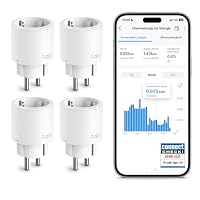 TAP·NANOTapo Nano Smart WLAN Steckdose Tapo P115 mit€37−1.1%
 FRI·SMARTFRITZ!Smart Energy 200 | Intelligente Steckdose€30−25.0%
 HAM·WLANHama WLAN Steckdose Professional, Mini Plug€12−31.9%
 SON·S61SSONOFF S61s Matter WLAN Außensteckdose Wasserdicht€20±0.0%
 SHE·MINIShelly 1PM Mini Gen3 WLAN Smart Relais Schalter mit€22±0.0%
 SON·S60SONOFF S60 ZIGBEE SMART STECKDOSE INTELLIGENTE 16A PLUG€15±0.0%
 SON·S60Sonoff S60 Zigbee Smart Steckdose 16A Plug Energiemessung€15±0.0%
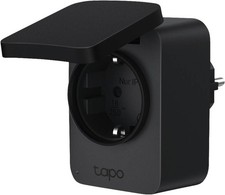 TPL·TAPOTapo P410M WLAN Outdoor Steckdose€24±0.0%
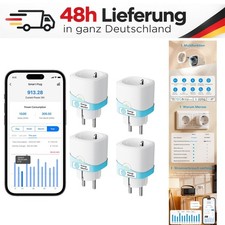 MER·MINIMeross MINI Smart Steckdose 16A mit Strommessung WLAN Alexa€25±0.0%
 SON·S601-5Packs SONOFF S60 WIFI 16A Smart Steckdose Schalter APP€13±0.0%
 MER·SMARTMeross Smart WLAN-Steckdose 4er Pack mit Strommessung€47−16.5%
 SON·S602Packs Sonoff S60 Zigbee Smart Steckdose 16A Plug€28±0.0%
 SON·S60ZBTPFSONOFF S60ZBTPF Zigbee Steckdose Smart Zwischenstecker€31±0.0%
 FRI·SMARTFRITZ!Smart Energy 200 | intelligente Steckdose€31−8.0%
 SHE·MINIShelly 1PM Mini Gen4 WLAN Smart Relais Schalter mit€33±0.0%
 SON·WIFI4PCS SONOFF WIFI Smart Plug Steckdose 16A Matter Strom€33±0.0%
 SON·PACK1-4 Pack SONOFF S61s Matter WLAN Smart-Steckdose€10±0.0%
 SON·S61STPF4PCS SONOFF S61STPF WLAN Plug Matter Steckdosen Strommessung€35±0.0%
 SON·WLAN4Set SONOFF WLAN Steckdose Smart Plug Matter Strommessung€35±0.0%
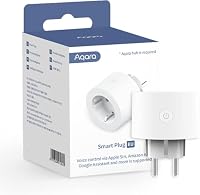 AQA·SMARTEAqara Smarte Zigbee Steckdose€21+6.8%
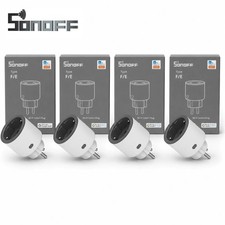 SON·S60TPF4er SONOFF S60TPF WLAN Smart Steckdose Strommessung Alexa€40±0.0%
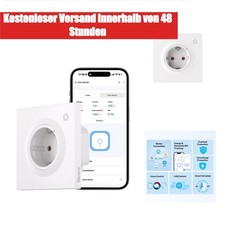 SON·ORBSONOFF Orb Socket WS01TPF-E Smart Steckdose Matter WLAN 16A€40±0.0%
 SON·S61SSONOFF S61s Smart Steckdosen 16A/3840W€33±0.0%
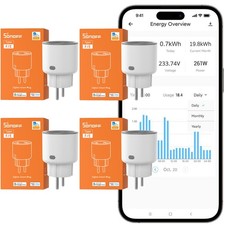 SON·S604Packs Sonoff S60 Zigbee Smart Steckdose 16A Plug€53±0.0%
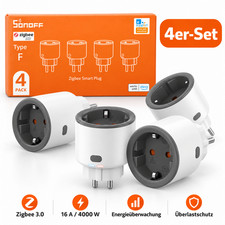 SON·PACK4er Pack SONOFF S60 Zigbee Smart Plug Steckdose Strommessung€53±0.0%
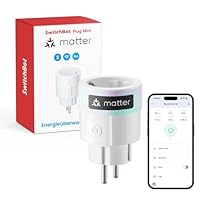 SWI·PLUGSwitchBot Plug Mini Matter-fähig mit Leistungsüberwachung€14±0.0%
- TAP·TPTP-Link Tapo Smart WLAN Steckdose P110 mit EnergieverbrauchskontrolleSmarte Steckdose · Wi-Fi€9±0.0%±0.0%+13.7%
- SHE·PLUGShelly Plug M Gen3 Weiß - WLAN & Matter Smarte SteckdoseSmarte Steckdose · Wi-Fi€20±0.0%±0.0%±0.0%
- SWI·WLANSwitchBot WLAN Steckdose mit Strommessung, Smart Home Steckdose 16ASmarte Steckdose · Wi-Fi€12±0.0%––
- TAP·P115Tapo P115 Smart WLAN Steckdose mit EnergieverbrauchskontrolleSmarte Steckdose · Wi-Fi€14±0.0%+16.7%+16.7%
- TAP·NANOTapo Nano Smart WLAN Steckdose Tapo P115 mitSmarte Steckdose · Wi-Fi€37−1.1%−1.1%−1.1%13 d
- FRI·SMARTFRITZ!Smart Energy 200 | Intelligente SteckdoseSmarte Steckdose · DECT€30±0.0%−25.0%±0.0%19 d
- HAM·WLANHama WLAN Steckdose Professional, Mini PlugSmarte Steckdose · Wi-Fi€12±0.0%−31.9%±0.0%19 d
- SON·S61SSONOFF S61s Matter WLAN Außensteckdose Wasserdicht Strommessung IP44Smarte Steckdose · Wi-Fi€20±0.0%––
- SHE·MINIShelly 1PM Mini Gen3 WLAN Smart Relais Schalter mit Strommessung 8ASchalter & Relais · Wi-Fi€22±0.0%––
- SON·S60SONOFF S60 ZIGBEE SMART STECKDOSE INTELLIGENTE 16A PLUG SCHALTERSmarte Steckdose · Zigbee€15±0.0%±0.0%±0.0%24 d
- SON·S60Sonoff S60 Zigbee Smart Steckdose 16A Plug Energiemessung AppSmarte Steckdose · Zigbee€15±0.0%±0.0%±0.0%24 d
- TPL·TAPOTapo P410M WLAN Outdoor Steckdose, Smart Home Plug mit StromzählerSmarte Steckdose · Wi-Fi€24±0.0%±0.0%±0.0%16 d
- MER·MINIMeross MINI Smart Steckdose 16A mit Strommessung WLAN Alexa 4erSmarte Steckdose · Wi-Fi€25±0.0%––
- SON·S601-5Packs SONOFF S60 WIFI 16A Smart Steckdose Schalter APPSmarte Steckdose · Wi-Fi€13±0.0%±0.0%±0.0%24 d
- MER·SMARTMeross Smart WLAN-Steckdose 4er Pack mit StrommessungSmarte Steckdose · Wi-Fi€47±0.0%−16.5%−16.5%19 d
- SON·S602Packs Sonoff S60 Zigbee Smart Steckdose 16A Plug EnergiemessungSmarte Steckdose · Zigbee€28±0.0%––
- SON·S60ZBTPFSONOFF S60ZBTPF Zigbee Steckdose Smart Zwischenstecker EnergiemessungSmarte Steckdose · Zigbee€31±0.0%––
- FRI·SMARTFRITZ!Smart Energy 200 | intelligente SteckdoseSmarte Steckdose · DECT€31−10.0%−8.0%±0.0%
- SHE·MINIShelly 1PM Mini Gen4 WLAN Smart Relais Schalter mit Strommessung 8ASchalter & Relais · Wi-Fi€33±0.0%––
- SON·WIFI4PCS SONOFF WIFI Smart Plug Steckdose 16A Matter Strom Monitor AlexSmarte Steckdose · Wi-Fi€33±0.0%±0.0%±0.0%24 d
- SON·PACK1-4 Pack SONOFF S61s Matter WLAN Smart-Steckdose Strommessung AlexaSmarte Steckdose · Wi-Fi€10±0.0%––
- SON·S61STPF4PCS SONOFF S61STPF WLAN Plug Matter Steckdosen StrommessungSmarte Steckdose · Wi-Fi€35±0.0%––
- SON·WLAN4Set SONOFF WLAN Steckdose Smart Plug Matter StrommessungSmarte Steckdose · Wi-Fi€35±0.0%––
- AQA·SMARTEAqara Smarte Zigbee Steckdose, Strommessung und ProgrammierungSmarte Steckdose · Zigbee€21±0.0%+6.8%+0.2%24 d
- SON·S60TPF4er SONOFF S60TPF WLAN Smart Steckdose Strommessung Alexa Google HomeSmarte Steckdose · Wi-Fi€40±0.0%––
- SON·ORBSONOFF Orb Socket WS01TPF-E Smart Steckdose Matter WLAN 16ASmarte Steckdose · Wi-Fi€40±0.0%––
- SON·S61SSONOFF S61s Smart Steckdosen 16A/3840WSmarte Steckdose · Yes€33±0.0%±0.0%±0.0%
- SON·S604Packs Sonoff S60 Zigbee Smart Steckdose 16A Plug EnergiemessungSmarte Steckdose · Zigbee€53±0.0%±0.0%±0.0%24 d
- SON·PACK4er Pack SONOFF S60 Zigbee Smart Plug Steckdose Strommessung AppSmarte Steckdose · Zigbee€53±0.0%±0.0%±0.0%19 d
- SWI·PLUGSwitchBot Plug Mini Matter-fähig mit LeistungsüberwachungSmarte Steckdose · Wi-Fi€14±0.0%–+27.3%24 d
With energy monitoring, a smart plug becomes an energy detective: you see power draw, daily consumption and history right in the app.
Why energy monitoring via app is so handy
A classic plug-in energy meter shows consumption on a small display – so you have to go and read it. A smart plug with energy monitoring, by contrast, sends the values to the app continuously. You see the current power in watts, consumption per day, week or month in kilowatt hours and, in many apps, a cost projection based on your electricity price.
That reveals patterns you would never spot from a single snapshot: how often does the fridge kick in? How much does the gaming PC draw when idle? Does the tumble dryer really only run for two hours? With automations you can also get a notification when the washing machine has finished – its power draw then drops below a threshold.
Judging measuring accuracy correctly
The metering chips in plug adapters are accurate enough for household use, but they are not calibrated meters. At medium and high loads the readings are usually close to reality. At very low power – such as standby of just a few watts – cheap models scatter more. They are not suitable for billing between parties, for example in a flat share or with subtenants; for that you need a calibrated, MID-compliant sub-meter.
Also check whether the app stores data permanently or only offers a few days of history. If you want to analyse values in Home Assistant, ioBroker or similar systems, choose models with a local interface.
Buying criteria at a glance
These are the points that most clearly separate the models in practice:
- Maximum load: 16 A / 3,680 W for large appliances; 10 A is enough for lamps and electronics.
- Ecosystem: own app, Alexa, Google, Apple Home or Matter – clarify beforehand what you use.
- Local API or MQTT: important for Home Assistant and data ownership.
- History and export: daily and monthly values, ideally exportable as a file.
- Balcony solar: only use models whose manufacturer explicitly supports feed-in measurement.
Typical use cases
Popular uses include a monitoring plug on the washing machine and dryer to report when a programme ends, on the fridge to check its consumption, behind the entertainment corner to hunt down standby power and on a balcony solar system to track its output. Fan heaters, dehumidifiers or aquariums can be monitored the same way, provided the maximum load fits.