
Guide
Buying a smart plug: how to find the right model
Smart plugs are the cheapest way into the smart home. Which one you choose depends mainly on the wireless standard, your voice assistant and how much you want to measure.
Updated 7 min readEditorial team wostrom.de
First clarify what you need it for
Before you compare, take a quick inventory: do you just want to switch lamps and decorations on a schedule? Would you like to monitor the consumption of individual appliances? Or should the plug become part of a larger system with sensors, automations and perhaps a balcony solar system? Depending on the answer, a simple Wi-Fi plug is enough, or you should invest in an open system with local control.
Equally important is which devices you already have at home. An existing smart speaker, a FRITZ!Box, a lighting bridge or a Home Assistant server determines which plugs are easiest to integrate.
The wireless standards compared
Wi-Fi plugs are the most widespread. They don't need a hub, are set up via the manufacturer's app and can usually be paired with Alexa and Google Assistant. The downsides: every plug takes up a slot on your Wi-Fi, almost all only use the 2.4 GHz band, and many cheap models depend on a manufacturer cloud.
Zigbee plugs need a gateway, but they form a robust mesh network in which every mains-powered plug relays signals. They respond quickly, work locally and take load off the Wi-Fi. DECT plugs work with a suitable base station, above all the FRITZ!Box, and offer long range.
Matter is not a wireless technology in its own right but a common application standard that runs over Wi-Fi or Thread. Matter devices can be integrated into Apple Home, Google Home, Alexa and SmartThings – even in parallel. A Matter controller is required, such as a current smart speaker or hub.
- Wi-Fi: the easiest entry point, no hub needed.
- Zigbee: stable and local, requires a gateway.
- DECT: ideal with a FRITZ!Box, long range.
- Matter: works across systems, future-proof, needs a controller.
Matter smart plugs
Ad All products linked with "View offer" are commission (affiliate) links: if you buy through them, we earn a commission – the price stays the same for you. As an Amazon Associate and eBay Partner Network affiliate we earn from qualifying purchases. Learn more
 Ad
AdShelly Plug M Gen3 Weiß - WLAN & Matter Smarte Steckdose, Leistungsmessung …
 Ad−40%
SwitchBot WLAN Steckdose mit Strommessung, Smart Home Steckdose 16A, Mini …
 Ad−26%
 Ad−21%
SwitchBot WLAN Steckdose, Smart Home Matter Steckdose für Home&Büro, 4 Pack
Energy monitoring: nice to have or a must?
Many smart plugs also measure power and consumption. The surcharge is usually small and the benefit large: you see what appliances use in operation and on standby, get monthly statistics and can link automations to consumption – for example a notification when the washing machine has finished.
The measuring accuracy is sufficient for household use. However, the plugs don't provide calibrated values for billing. If the data matters to you, look for a long history in the app, an export function or a local interface for Home Assistant and similar systems.
Load rating, form factor and safety
The maximum load is stated in the datasheet, usually as 10 A (2,300 W) or 16 A (3,680 W). Lamps, routers and home entertainment manage fine with 10 A. For fan heaters, kettles, washing machines or tumble dryers you need 16 A. Bear in mind that a plug operated continuously close to its limit gets warm – generous sizing does no harm.
Pay attention to the form factor: round mini plugs often block the neighbouring socket on a power strip, so slim models are more practical here. For outdoor use you need special models rated at least IP44. And importantly for safety: appliances that shouldn't run unattended – irons, fan heaters, hotplates – should not be switched on by schedule or remotely.
Privacy and cloud dependency
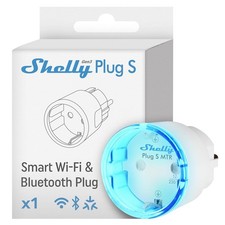
Many Wi-Fi plugs send commands and readings via the manufacturer's servers. That's convenient, but it means the plug only works to a limited extent if the internet goes down or the manufacturer discontinues the service. If that matters to you, choose devices with local control: Zigbee, DECT, Matter or Wi-Fi models with a local API such as Shelly.
Also set up a separate guest or IoT network if your router offers one, and keep the firmware up to date. That reduces the risk of a poorly maintained device becoming a gateway into your home network.
It's also worth reading the privacy notice of the manufacturer's app: what data is collected, where is it stored, and can the account and its readings be deleted again? Consumption histories in particular reveal a lot about your daily life.
Shelly: smart plugs with local control
Ad All products linked with "View offer" are commission (affiliate) links: if you buy through them, we earn a commission – the price stays the same for you. As an Amazon Associate and eBay Partner Network affiliate we earn from qualifying purchases. Learn more
AdShelly Plug M Gen3 Weiß - WLAN & Matter Smarte Steckdose, Leistungsmessung …
 Ad
AdShelly Smarte Steckdose WLAN Bluetooth Gen3 Plug Wi-Fi Steckdose Weiß
 Ad
AdShelly WLAN Smarte Steckdose Bluetooth Gen3 Intelligente Wifi Steckdose 2ER …
 Ad
Ad2X Shelly Smarte WLAN AußenSteckdose Bluetooth Gen3 Wi-Fi Outdoor Steckdose
Typical setup problems
The most common hurdle with Wi-Fi plugs is the 5 GHz network: the smartphone is on the 5 GHz band, but the plug only supports 2.4 GHz. Many routers use the same network name for both bands; setup usually works anyway, otherwise you temporarily separate the bands. Other pitfalls are special characters in the Wi-Fi password, enabled client isolation and too great a distance from the router.
With Zigbee, the order matters: first place mains-powered devices such as plugs, then pair battery-powered sensors so that the mesh network becomes stable. With Matter, it helps to keep the setup code safe – you'll need it if you reset the device or add it to another system.
A quick decision guide
If you're unsure, this rule of thumb helps:
- Just switching, no hub available: Wi-Fi plug, ideally with Matter.
- Monitoring consumption: a model with energy monitoring and good app history.
- FRITZ!Box at home: consider a DECT plug.
- Many devices, sensors, automations: Zigbee or Matter over Thread.
- Home Assistant, data ownership, balcony solar: models with a local API.
Setup step by step
Regardless of the model, setup works in a similar way. Read the quick start guide beforehand and have your Wi-Fi password ready. Also plan how you want to name the devices – clear names such as "Living room floor lamp" make voice control and automations easier later on.
- Install the manufacturer's app or have your Matter controller ready.
- Plug in the smart plug and put it into pairing mode (usually by holding the button until the LED flashes).
- Add the device in the app, select your Wi-Fi or scan the QR code.
- Assign a room and name, and run the firmware update.
- Set up schedules, automations and, if needed, the connection to voice assistants.
Assessing costs and benefits realistically
A smart plug doesn't automatically save electricity – it draws a small amount of power continuously itself. You save when you use it to reliably disconnect standby consumers from the mains, or when the readings help you identify and replace power hogs. The biggest added value usually comes from convenience: lights on a schedule, notifications when a programme ends and control over devices when you're not at home.
For standby devices, do a rough calculation: if the standby power saved is well above the plug's own consumption, switching off also pays off financially. If it's below, the plug mainly brings convenience there, but no savings.
Popular ideas for using smart plugs
To make the purchase worthwhile, here are some proven applications that work without much effort:
- Switch floor lamps and decorations on automatically after sunset.
- Disconnect home entertainment completely from the mains at night.
- Get notified when the washing machine or dryer has finished its programme.
- Switch a fan or dehumidifier depending on temperature or humidity.
- Simulate presence while on holiday with random switching times.
What to watch out for with cheap offers
Smart plugs are often sold in multipacks and by many different sellers, sometimes under changing brand names with identical technology. That's not bad in principle, but it's worth taking a close look at the details: which app is used? Is the plug built for the German Schuko socket (type F)? What maximum load is stated in the datasheet, and is there a CE marking with a manufacturer address in the EU?
With marketplace offers, also check the item condition. We hide used or refurbished devices in our comparison lists by default. If you find an older model cheaply, check whether it still receives firmware updates and whether the associated app is still maintained – otherwise the plug may lose its smart functions later.
FAQ
Which smart plug works without a hub?
Wi-Fi plugs and Matter-over-Wi-Fi models don't need an additional gateway. For Matter you only need a controller, such as a compatible smart speaker.
Can I mix smart plugs from different manufacturers?
Yes, most easily via Matter or an open platform such as Home Assistant. Otherwise the devices remain separate in the manufacturers' apps.
Why can't the app find my Wi-Fi plug?
Often it's due to the 5 GHz band, special characters in the password or weak reception. Check these points and reset the plug if necessary.
Are smart plugs safe?
Branded devices with CE marking and current firmware are designed for household use. Observe the maximum load and don't switch on dangerous appliances unattended.
What does Matter bring to a smart plug?
You can use it in different smart home systems regardless of the manufacturer and aren't tied to one app if you switch later.